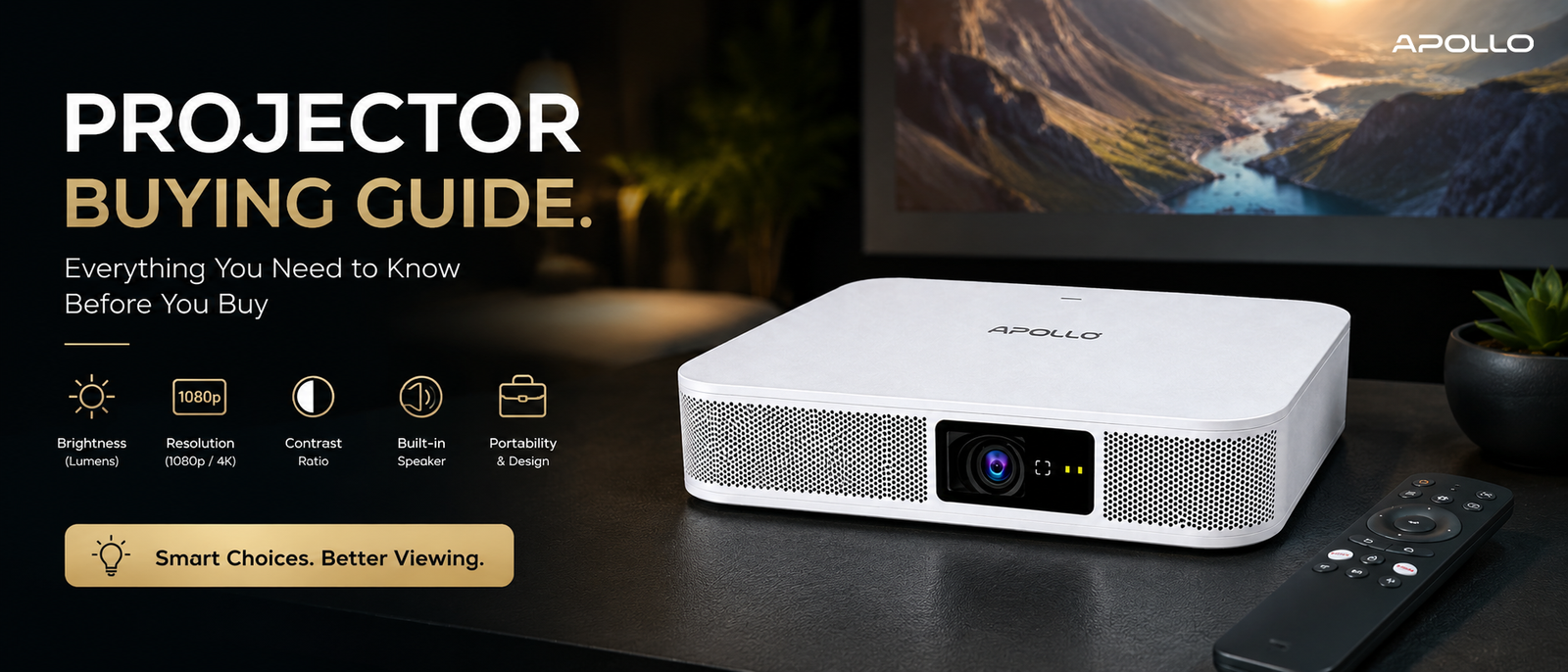
This guide walks corporate buyers through exactly what to evaluate before purchasing a projector — brightness, resolution, connectivity, portability, and total cost of ownership — and uses the Apollo S500 Multimedia DLP Projector as a real-world example of how these specs translate into everyday business use.
Buy a projector for the wrong room, and you won't find out until your first real presentation — when the screen looks washed out, the laptop won't connect, or the whole unit needs an outlet that isn't there. A good projector buying guide should stop that from happening before you spend a single dollar.
Why a Structured Projector Buying Guide Matters
Most projector purchases go wrong for the same handful of reasons: buyers compare price tags without comparing specs, they assume "HD" means the same thing across brands, or they don't account for how the room's lighting will affect the final image. A proper buying process fixes this by working through requirements in order — room, use case, specs, then budget.
What is a multimedia projector? Full feature breakdown → Educational guide
Step 1: Define Your Room and Use Case
Before comparing models, get specific about where and how the projector will be used:
- Room size — Small huddle room, standard boardroom, or large auditorium?
- Ambient light — Windows, overhead lighting, or a dedicated dark room?
- Fixed vs. mobile use — Will it stay mounted in one room, or travel between offices and client sites?
- Presentation style — Mostly slides and text, or video-heavy content and demos?
A portable projector like the Apollo S500 — which weighs just 815g and measures 175 × 175 × 30mm — is built specifically for the second scenario: teams that need to set up quickly in different rooms or locations rather than relying on a fixed installation.
Step 2: Understand Brightness and Contrast
Brightness is measured in ANSI lumens, and it's one of the most misunderstood specs on any projector buying guide checklist. More lumens generally means better visibility in rooms with ambient light, but contrast ratio matters just as much for how sharp and readable the image actually looks.
For reference, the Apollo S500 offers 500 ANSI lumens paired with a 5000:1 contrast ratio — a combination that favors sharp, high-contrast visuals in moderately lit rooms, such as small meeting spaces or huddle rooms, rather than large, brightly lit auditoriums.
- Under 1,000 lumens: Best for small, dim-to-moderate rooms
- 3,000+ lumens: Needed for standard boardrooms with daylight
- 4,500+ lumens: Required for large auditoriums or bright venues
Best multimedia projectors for offices — full comparison guide → Buying guide
Step 3: Check Resolution and Image Quality
Resolution determines how sharp text and images appear. Full HD (1920×1080) is the practical baseline for business use, while 4K input support allows a projector to accept and downscale higher-quality source material even if its native resolution is lower.
The Apollo S500, for example, has a native 1080P Full HD resolution with 4K Ultra HD input support, meaning it can process high-resolution content from a laptop or streaming device without requiring a native 4K panel — a common and cost-effective approach in the portable projector category.
Also check for:
- Auto Focus — Removes manual fiddling during setup
- Automatic Keystone Correction — Keeps the image rectangular even at imperfect angles
Both of these features are standard on the Apollo S500, which is worth prioritizing if your team frequently sets up in unfamiliar rooms.
How to connect a multimedia projector — full setup guide → Setup guide
Step 4: Evaluate Connectivity and Smart Features
Modern corporate projectors increasingly function as standalone smart devices rather than simple display accessories. When comparing options, check for:
- Wireless casting (Miracast, AirPlay, or proprietary apps)
- Built-in smart OS — Some projectors run Android and support apps directly, avoiding the need for a separate streaming stick
- Wired backup options — HDMI and USB remain important for reliability
- Audio output — Built-in speakers vs. dependency on external audio
The Apollo S500 runs Android 13 on an Amlogic T972 processor with 2GB RAM and 32GB storage, supports dual-band Wi-Fi, Bluetooth 5.0, AirPlay, and Miracast, and includes a single HDMI input alongside USB and Type-C ports — giving buyers both wireless flexibility and a reliable wired fallback.
Compare Apollo Vision Tech's full DLP and business projector range → Shop/Category page
Step 5: Consider Power Source and Portability
For fixed installations, power source rarely matters. For teams presenting across multiple locations, it becomes a critical differentiator. A projector that depends entirely on mains power limits where and how quickly you can set up.
The Apollo S500 includes a built-in 15,000mAh battery offering roughly 2–3 hours of cordless operation, which removes dependency on finding a power outlet at every venue — a genuine advantage for sales teams, consultants, and traveling presenters.
Step 6: Factor in Total Cost of Ownership
Purchase price is only part of the equation. Also weigh:
- Light source lifespan — LED and laser sources last far longer than traditional lamps
- Warranty and certifications — Look for recognized certifications (CE, FCC, RoHS, etc.) as a baseline quality signal
- Included accessories — Power adapters, remotes, HDMI cables, and mounts add real value if bundled
The Apollo S500, for instance, uses a solid-state LED light source rated for roughly 30,000 hours in eco mode and ships with a power adapter, Bluetooth remote, HDMI cable, and tripod mount included.
Multimedia projector price guide for corporate buyers → Pricing guide
Quick Comparison: What to Prioritize by Use Case
| Use Case | Prioritize |
|---|---|
| Small meeting room | Contrast, portability, quick setup |
| Standard boardroom | Brightness (3,000+ lumens), wireless casting |
| Large auditorium | High lumens, laser light source |
| Traveling presenters | Battery power, ultra-portable design |
FAQ: Projector Buying Guide
1. What's the most important spec when buying a projector for an office?
Brightness and contrast together matter more than resolution alone, since a sharp but dim image performs poorly in rooms with ambient light.
2. Is a portable projector like the Apollo S500 suitable for business presentations?
Yes — with its built-in battery, Auto Focus, and Automatic Keystone Correction, it's designed for teams that present in different rooms or locations rather than relying on a single fixed installation.
3. Do I need 4K resolution for office presentations?
Not usually. Full HD with 4K input support, as offered by the Apollo S500, is generally sufficient for slides, documents, and most video content in standard meeting rooms.
4. How long do LED light sources last compared to traditional lamps?
LED sources typically last significantly longer — the Apollo S500's rated 30,000-hour eco lifecycle is far beyond the 2,000–5,000 hours common with older lamp-based projectors.
5. Should I choose a wired or wireless projector for my office?
Ideally both — wireless casting speeds up meetings, while a wired HDMI connection remains the more reliable backup.
A solid projector buying guide comes down to matching real specs — brightness, resolution, connectivity, and portability — to how your team actually presents, rather than choosing based on price alone. Models like the Apollo S500 show how portable, smart-enabled projectors have evolved well beyond simple plug-in displays.
Ready to compare your options?
Explore the Apollo S500 and Apollo Vision Tech's full projector range → Homepage/Shop page and find the right fit for your team's next presentation.